
Скачать SoBrief – Инструмент суммирования научно‑популярных книг на основе ИИ
Overview
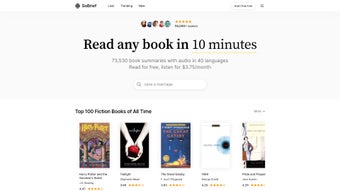
SoBrief – это веб‑приложение, которое меняет способ, которым жаждущие знаний читатели потребляют нон‑фикшн. Используя передовые алгоритмы ИИ, платформа создаёт лаконичные, легко усваиваемые резюме более чем 73 530 книг на 40 языках. Будь вы занятый профессионал, ищущий новейшие лайфхаки по продуктивности, техно‑энтузиаст, желающий опережать отраслевые тренды, или сторонник психического здоровья, ищущий доказательные инсайты, SoBrief предлагает универсальную библиотеку, превращающую плотный материал в небольшие обучающие моменты. Сервис поддерживает как текстовые, так и аудио форматы; текстовые резюме доступны в рамках бесплатного пробного периода, а премиум‑пользователи получают высококачественные аудио‑версии, позволяющие учиться в движении — идеально для commuters, тренировок в спортзале или многозадачной среды. Движок рекомендаций на основе ИИ персонализирует опыт, анализируя вашу историю чтения и предпочтения, чтобы предлагать релевантные названия, которые вы могли бы иначе пропустить. Пользователи могут оценивать каждое резюме, помогая сообществу выделять самый ценный контент, а встроенный трекер прогресса показывает, сколько книг вы уже прошли и что осталось в вашем списке обучения. SoBrief постоянно обновляется новейшими релизами нон‑фикшн, гарантируя, что вы никогда не отстанете, когда появляются новые исследования и идеи. Чистый, адаптивный дизайн работает на настольных компьютерах, планшетах и смартфонах, делая его универсальным инструментом для пожизненных обучающихся, ценящих скорость, глубину и удобство. Бесплатный пробный период приглашает новых пользователей исследовать основные функции, а разумно‑цена подписка открывает полный набор аудио‑резюме, продвинутые рекомендации и просмотр без рекламы. Вкратце, SoBrief сочетает скорость, охват и персонализацию в безопасном, простом в использовании решении для тех, кто хочет оставаться в курсе, не тратя часы на чтение полных книг.
Key Features
- Massive Library: Over 73,530 non‑fiction summaries covering topics such as productivity, technology, health, finance, and personal development.
- Multi‑Language Support: Summaries available in 40 languages, enabling global learners to access content in their native tongue.
- Text & Audio Formats: Free text summaries for quick reading; premium audio versions for hands‑free consumption.
- AI‑Powered Recommendations: Machine‑learning engine analyses your reading habits and suggests titles aligned with your interests.
- Rating & Review System: Community‑driven ratings help surface the most accurate and insightful summaries.
- Progress Tracker: Visual dashboard tracks completed summaries, pending reads, and overall learning milestones.
- Regular Updates: New releases are added weekly, ensuring the library stays current with the latest best‑sellers and research.
- Secure Cloud Access: All data is stored securely in the cloud, with SSL encryption protecting user credentials and reading history.
- Responsive Design: Optimised for Windows, macOS, Android, and iOS browsers, delivering a seamless experience on any device.
- Free Trial & Flexible Subscription: Test core features without commitment; upgrade to premium for full audio access and ad‑free browsing.
Installation, Usage & Compatibility
SoBrief is a fully web‑based solution, which means there is no traditional “installation” process. Users simply visit sobrief.com, create an account, and begin exploring the catalogue. The sign‑up flow is straightforward: provide an email address, set a password, and verify your account via a confirmation link.
Once logged in, the intuitive dashboard presents three primary tabs—Library, My Progress, and Recommendations. In the Library, you can browse by category, language, or popularity, and use the search bar to locate specific titles. Clicking a summary opens a clean reading view with adjustable font size, night mode, and the option to download a PDF version for offline reference (available to premium members).
To listen to an audio summary, simply press the “Play” button; the built‑in player supports speed control and background playback, allowing you to continue other tasks while learning.
Because SoBrief runs entirely in the browser, it is compatible with virtually any modern operating system. The supported platforms include Windows 10/11, macOS Catalina and later, Android 8.0+, and iOS 13+. All major browsers—Chrome, Firefox, Edge, Safari, and Opera—are fully supported, and the responsive layout automatically adjusts to the screen size of smartphones, tablets, or desktop monitors.
For users who prefer a dedicated app experience, SoBrief offers progressive web app (PWA) capabilities: clicking “Add to Home Screen” on mobile devices creates a shortcut that launches the platform in a standalone window, mimicking a native app without the need for App Store distribution. Updates are delivered instantly on the server side, meaning you always have the latest features, bug fixes, and new summaries without manual downloads. The onboarding tutorial, accessible from the profile menu, walks new users through key actions such as rating a summary, setting reading goals, and customizing recommendation preferences.
Overall, SoBrief’s frictionless access model ensures that anyone with an internet connection can start summarizing non‑fiction instantly, making it an ideal tool for students, professionals, and lifelong learners alike.
Pros & Cons
Pros
- Vast, constantly updated library of non‑fiction summaries.
- Multi‑language support expands accessibility globally.
- Audio summaries enable learning during commutes or workouts.
- AI‑driven recommendation engine personalises the reading journey.
- No software download; works on any device with a modern browser.
- Secure cloud storage protects personal data and reading history.
- Free trial lets users evaluate core features before committing.
Cons
- Full audio library is locked behind a paid subscription.
- Summaries, while concise, may omit nuanced arguments found in full texts.
- Limited offline capabilities for text summaries (requires premium).
- Recommendation algorithm can occasionally suggest overly similar titles.
Frequently Asked Questions
Is there a free version of SoBrief?
Yes, SoBrief offers a free trial that provides access to text summaries and basic recommendation features. Audio summaries and advanced personalization require a premium subscription.
How often is the summary library updated?
The library is refreshed weekly with new releases, ensuring that the latest non‑fiction titles are available within days of their publication.
Can I download summaries for offline reading?
Premium members can download PDF versions of text summaries for offline access. Audio files are streamed, but the PWA mode allows temporary caching for short offline sessions.
Is SoBrief compatible with mobile devices?
Absolutely. The responsive web design works on Android and iOS browsers, and the platform can be added to the home screen as a progressive web app for a native‑like experience.
How does the AI recommendation engine work?
The engine analyses the summaries you read, rate, and bookmark, then cross‑references this data with genre popularity and user‑similarity metrics to suggest titles that match your interests and learning goals.
Conclusion & Call to Action
In a world where time is scarce and information overload is the norm, SoBrief stands out as a practical, AI‑enhanced solution for extracting knowledge from the ever‑growing sea of non‑fiction literature. Its expansive, multilingual library, combined with both text and audio delivery, equips users to learn on their own schedule—whether at a desk, in a coffee shop, or during a jog. While the premium subscription unlocks the full audio experience, the free trial provides enough value to assess whether the platform aligns with your learning style. If you’re looking to stay ahead of industry trends, deepen personal development, or simply consume more books without the time commitment, SoBrief offers a secure, regularly updated, and user‑friendly environment to do just that. Download SoBrief today, start your free trial, and transform the way you absorb non‑fiction knowledge.



.png)



